Free · open source · Windows 10 and 11
Ibby, the WhisperX mascot, waving and saying Hello there!

Your recordings stay
on your PC.

Drop in an interview, a lecture or a podcast. Get every word timed and every speaker named, in 99 languages, without uploading a second of audio.

v2.0 · 19.7 MB portable zip · no installer, no account
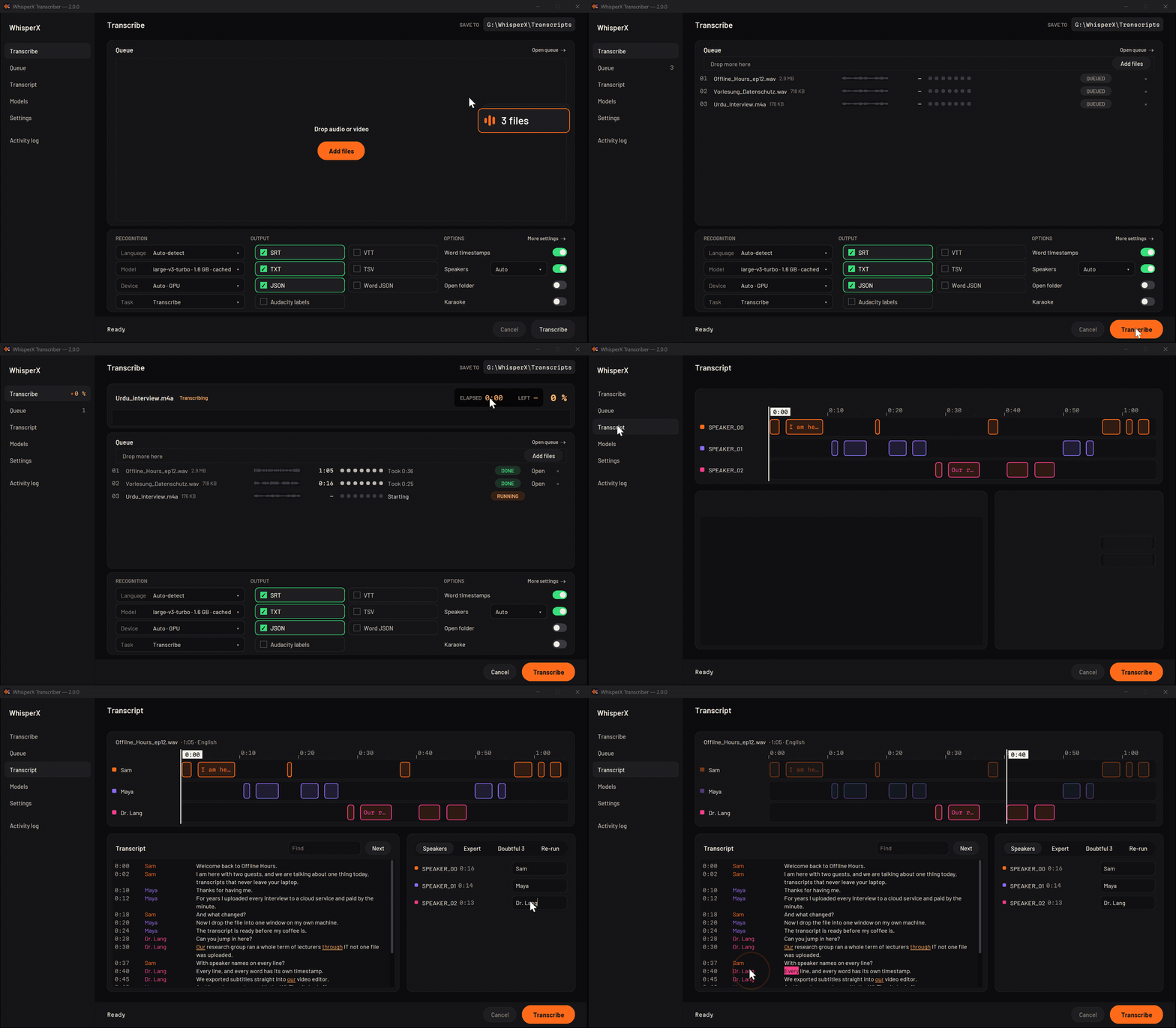
WhisperX Transcriber transcribing a podcast, a German lecture and an Urdu interview, then naming the speakers
Recorded from a real run on a laptop RTX 4060, with a synthetic-voice demo podcast. The waiting is sped up.
$0at any volume
18×real time on a laptop GPU
99languages, auto-detected
~30×fewer AI tokens than video

I built this for myself, to automate my own video workflows.

I wanted to drop in a batch of recordings and get back timed, speaker-labelled transcripts and subtitles, without uploading anything or babysitting a terminal. It made my work faster, so now I'm releasing it for everyone, free.

Ibrahim · maker of WhisperX Transcriber
The WhisperX Podcast. Season 1.

Three short episodes with my AI co-host. Each one shows a part of the app, and every caption in them was made by WhisperX Transcriber.

EP 01 · FOR AI

Too many tokens

An hour of 4K video is almost a million AI tokens. Its transcript is about 30,000.

EP 02 · SPEAKERS

I didn't say that

A cheap caption tool blames the wrong host. Speaker detection sorts out who said what.

EP 03 · OFFLINE

The reveal

The season finale. The hosts find out where they really are: on someone's PC, offline.

The characters and their voices are AI-generated. Sound on: the jokes need it.

Four steps, no terminal.

Unzip it, run it, and the first launch installs the speech engine for your GPU or CPU. After that, this is the whole workflow.

01

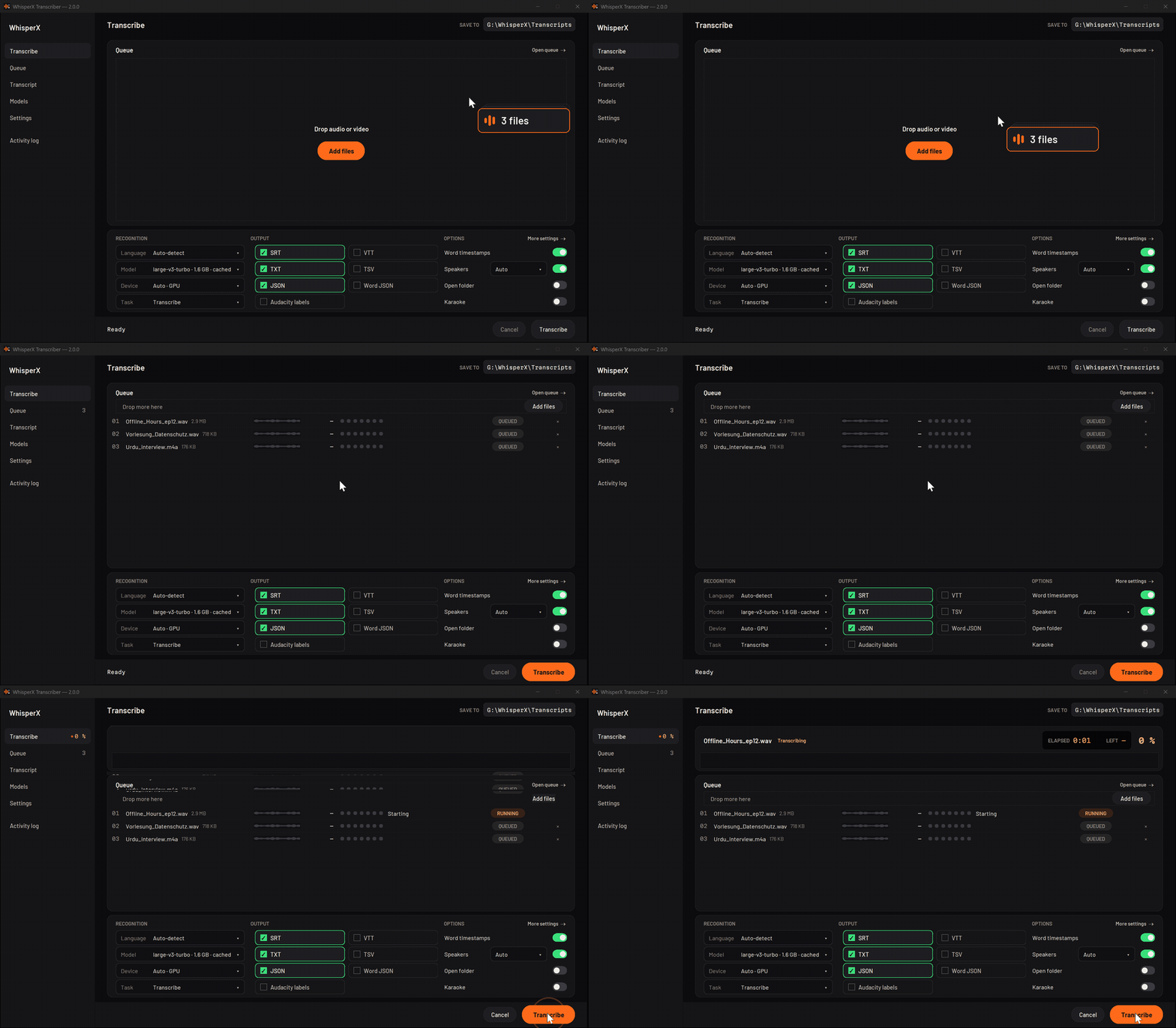
Drop your files

An interview, a stack of lectures, or a whole folder. Each file shows its waveform right away.

Dragging three audio files onto the window
02

Press Transcribe

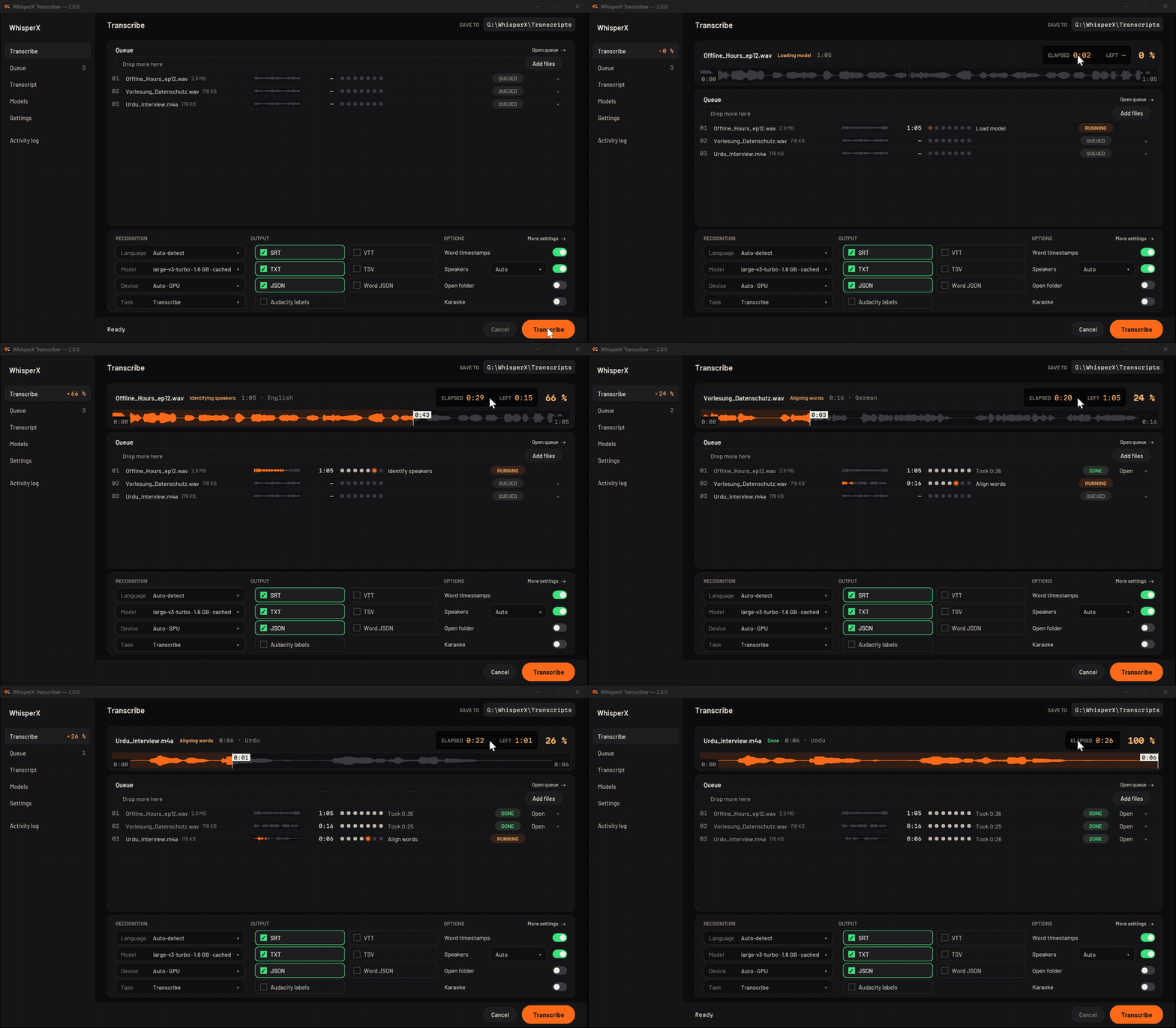
The queue runs back to back. Seven dots per file track each step, and the language is detected for you.

Three files transcribed one after another
03

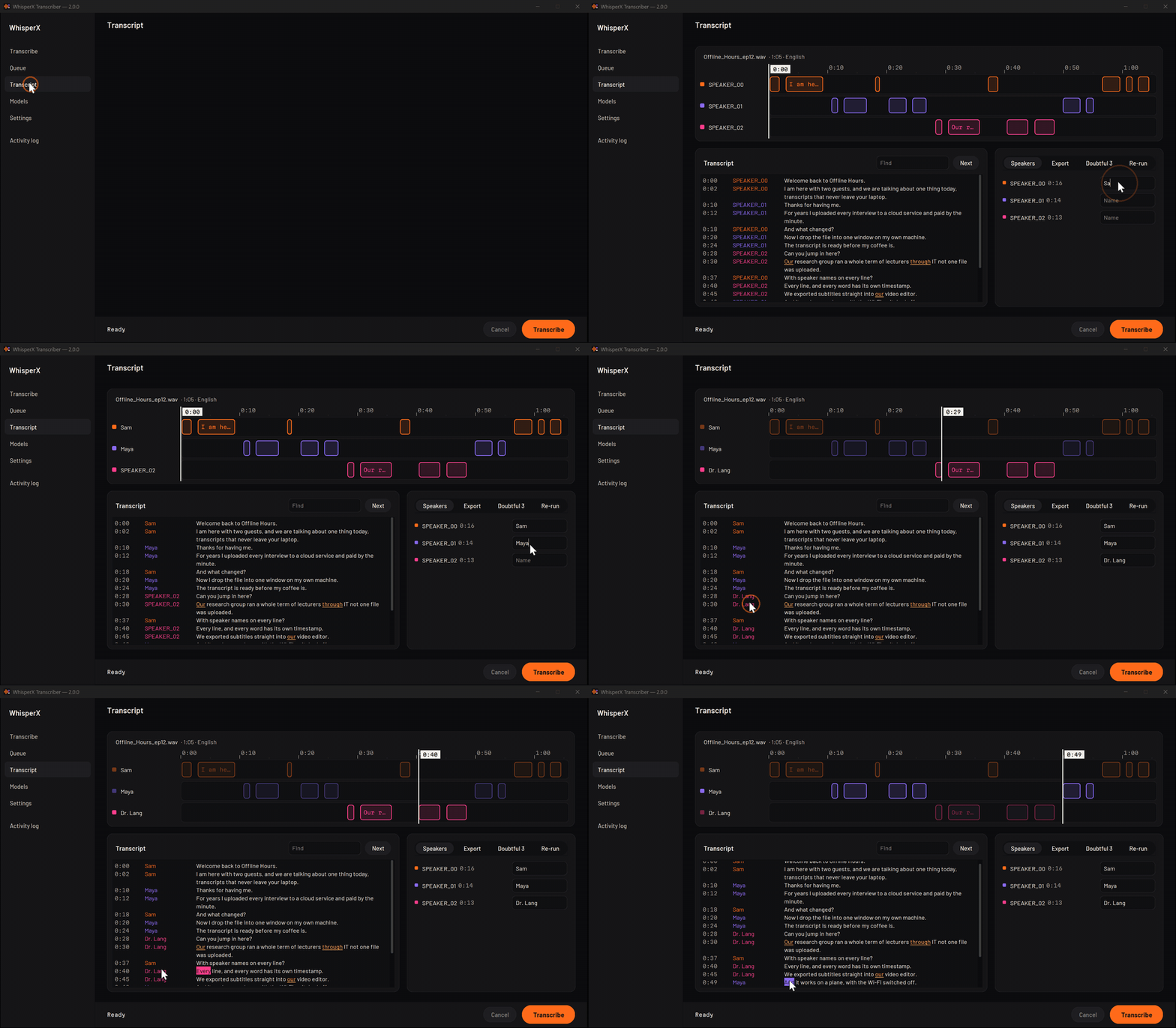
Name the speakers

Every voice gets a coloured lane. Type a name once and it replaces the label everywhere, exports included.

Renaming speakers and jumping through the transcript
04

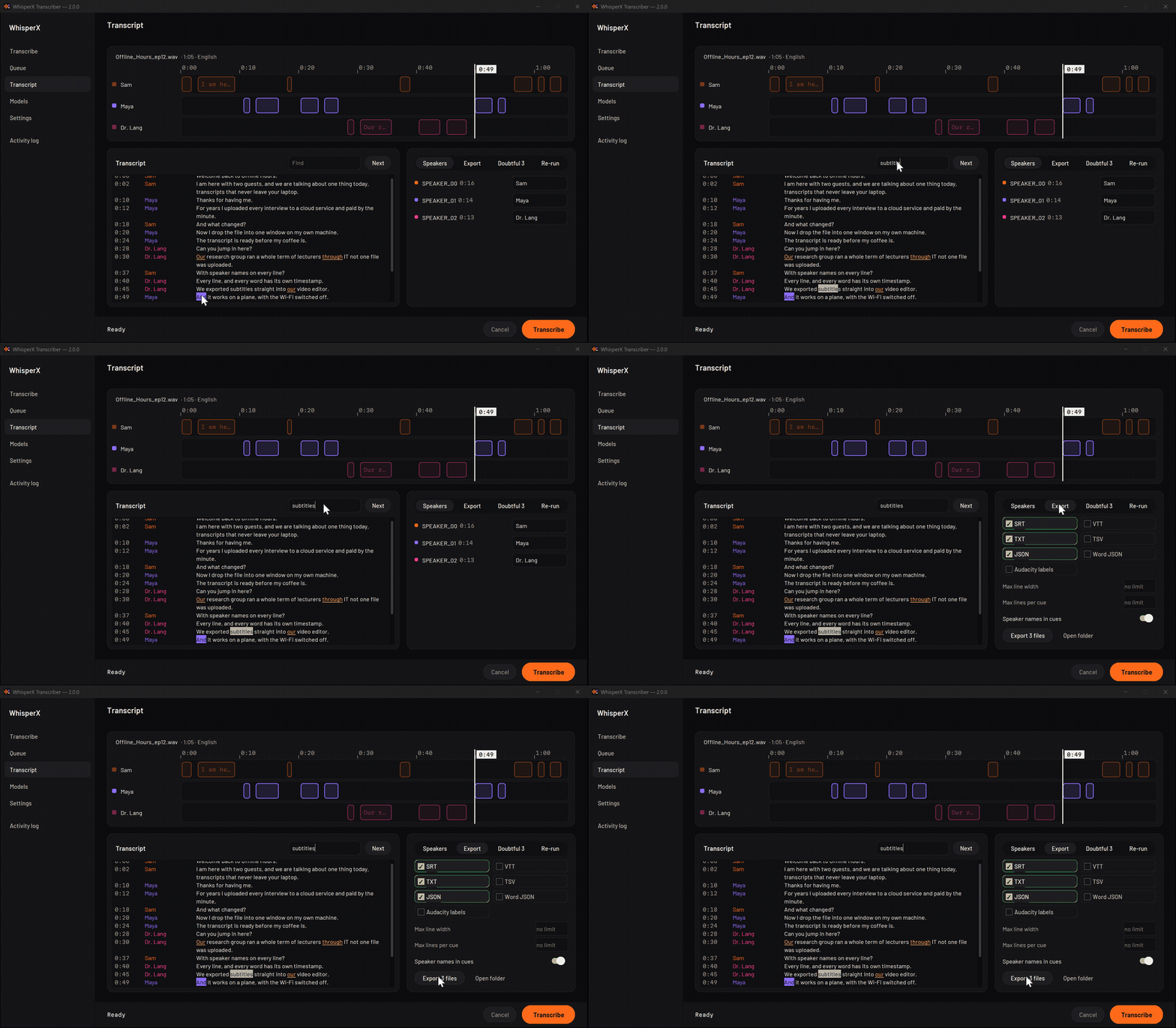
Find and export

Search any word, check the doubtful ones, then export SRT, VTT, TXT, JSON and more in one click.

Finding a word and exporting subtitles

100 hours of interviews. $0.

The same audio, three ways, at list prices checked on 26 October 2026. Bars are to scale.

Human transcription serviceRev · $1.99 per audio minute · uploaded
$11,940
Cloud AI subscriptionOtter Business · 6,000 imported minutes a month · uploaded
$30/mo
WhisperX Transcriberruns on your PC · works offline · MIT licensed
$0
Sources: rev.com/pricing and otter.ai/pricing.

Feed AI the words, not the pixels.

Hand an AI model a video and it reads a frame every second plus the audio. Hand it the transcript and it reads the words, with every timestamp and speaker name kept. For one hour of a talk:

Video into Geminidefault resolution · 263 tokens per second
947,000
Video, low resolutionabout 100 tokens per second
360,000
Audio only32 tokens per second
115,000
WhisperX Transcriber SRTevery timestamp and speaker name kept
30,000

About 30× lighter, and the saving repeats on every follow-up question. Best when the words carry the content: interviews, meetings, lectures, podcasts.

Gemini rates from ai.google.dev, checked 26 Oct 2026. Transcript counted with the GPT-4o tokenizer on a real export at 149 words a minute.

WhisperX, without the terminal.

Under the hood is WhisperX, the open engine behind fast, word-timed transcription. This app wraps it so anyone can use it.

WhisperX command lineWhisperX Transcriber
InstallPython, the right CUDA build of PyTorch, FFmpeg on PATHUnzip and run; the wizard picks GPU or CPU
SpeakersHugging Face account, token and model termsBuilt in, downloads by itself, no account
BatchesWrite your own scriptDrag in files or a folder
ReviewOpen the output filesSpeaker lanes, click-to-jump, Find, doubtful words
Speaker namesEdit the files by handType the name once
Right-to-leftRaw text orderUrdu, Arabic and Persian read in the right order

Made for recordings that shouldn't travel.

Journalists

Transcribe source interviews without handing the audio to anyone.

Researchers

Batch lectures, focus groups and fieldwork. Participant data stays on your machine.

Podcasters

Speaker-labelled transcripts and subtitles for every episode.

AI builders

Compact, timestamped text from meetings and videos, ready for any model.

Translators

A timestamped source transcript in 99 languages.

Families and archives

Oral histories and old tapes, kept private.

Questions

Is it really offline?

Yes, after the first launch. The setup downloads the speech engine once, and each model downloads the first time you use it. From then on every transcription runs with the Wi-Fi off. Turn on Offline only in Settings and the app uses only the models already on your disk.

Do I need an NVIDIA GPU?

No. With an NVIDIA GPU and driver 560 or newer the app uses it and runs many times faster than real time. Without one it runs on the CPU; pick the small or base model for speed.

Windows says "Windows protected your PC".

That's SmartScreen reacting to an unsigned build. Click More info, then Run anyway. The app is open source, and code signing is on the roadmap.

Do I need Python or an account?

No. The setup wizard installs everything it needs, including Python if you don't have it. There is no account, token or sign-up anywhere.

How accurate is it?

It uses the same Whisper models as the WhisperX command line, so the quality matches it on the same model and settings. Words the model is unsure about are underlined so you can check them.

Keep your audio yours.

Free and MIT-licensed · no account · no cloud